hey everyone, just a few quick updates on some core usability issues that uses have asked us for.
Task dragging, sorting and timeblocking improvements
You can now timeblock tasks that you just created in the task list! Yes, I know this should always have worked, so we’re sorry for anyone that struggled with it in the past (and thought it was them - it wasn’t it was us!). Silly technical details regarding draggability - but should be fixed now. Just create away, and then timeblock them as you want!
As part of this we also improved (we think), the UI when dragging tasks. You should now see a little task card that you can drag to reposition the task or timeblock it.
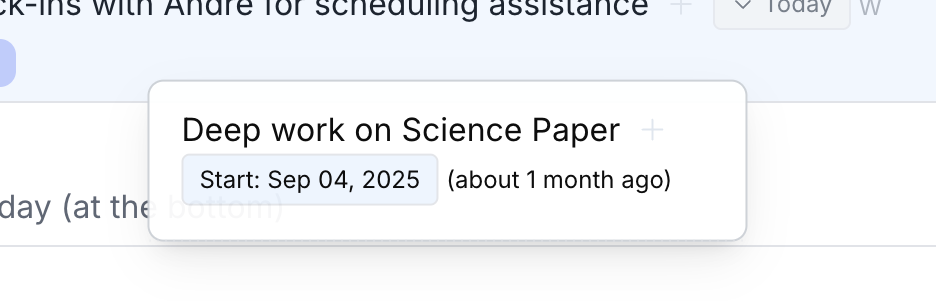 You will also see a new proposed task view (dashed outline) for where you might be placing the task. If you drop it outside the task list or the calendar it’ll also just revert to its original place (in case you change your mind about repositioning it).
And the task display got a few minor tweaks (project tags should be smaller, better aligned) - my favorite is that past dates will now tell you how overdue they are (see the image above).
Opt out of ritual nudge emails
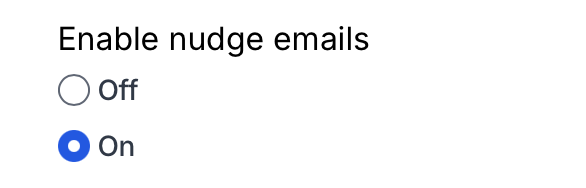
In your preferences, you can now also opt out of ritual nudge emails. These are designed to be useful for those who are not using the desktop app consistently.
Just go to your preferences page and turn “Enable nudge emails” off in the Rituals section.
Subtasks easily accessible again
In our zen paper update, creating subtasks was made a little too hidden. You can now add subtasks using the (+) next to the task title, and see the subtasks by clicking on the ”>>” next to the task title.